
The calorie tracker that reads menus
Your menu. Not everyone’s.
Point your camera at the menu and see which dishes fit your goal before you order. Everywhere else, snap your plate and MenuRight estimates the calories and macros.
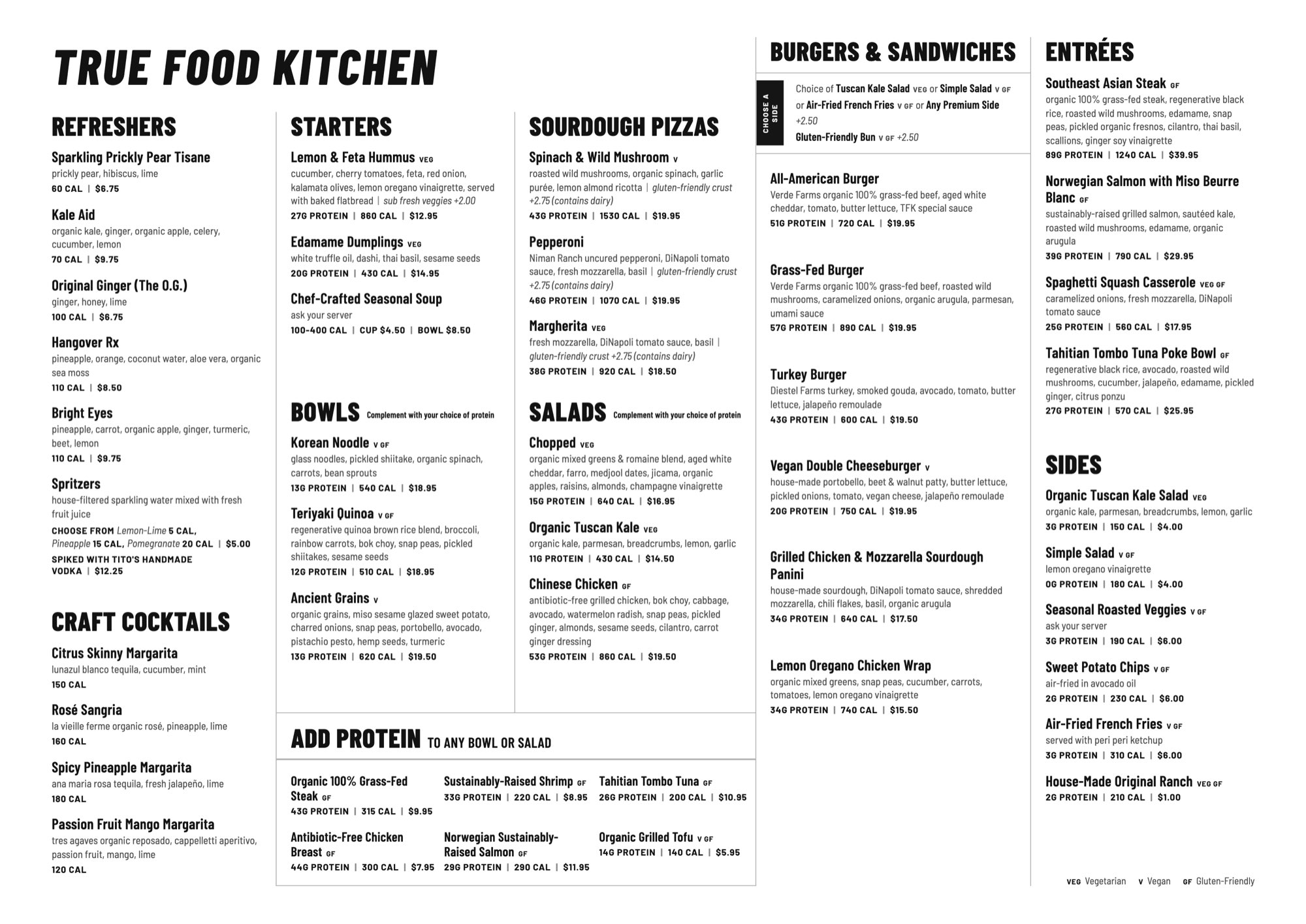
What others see.
A page of dishes and a guess.
What you see.
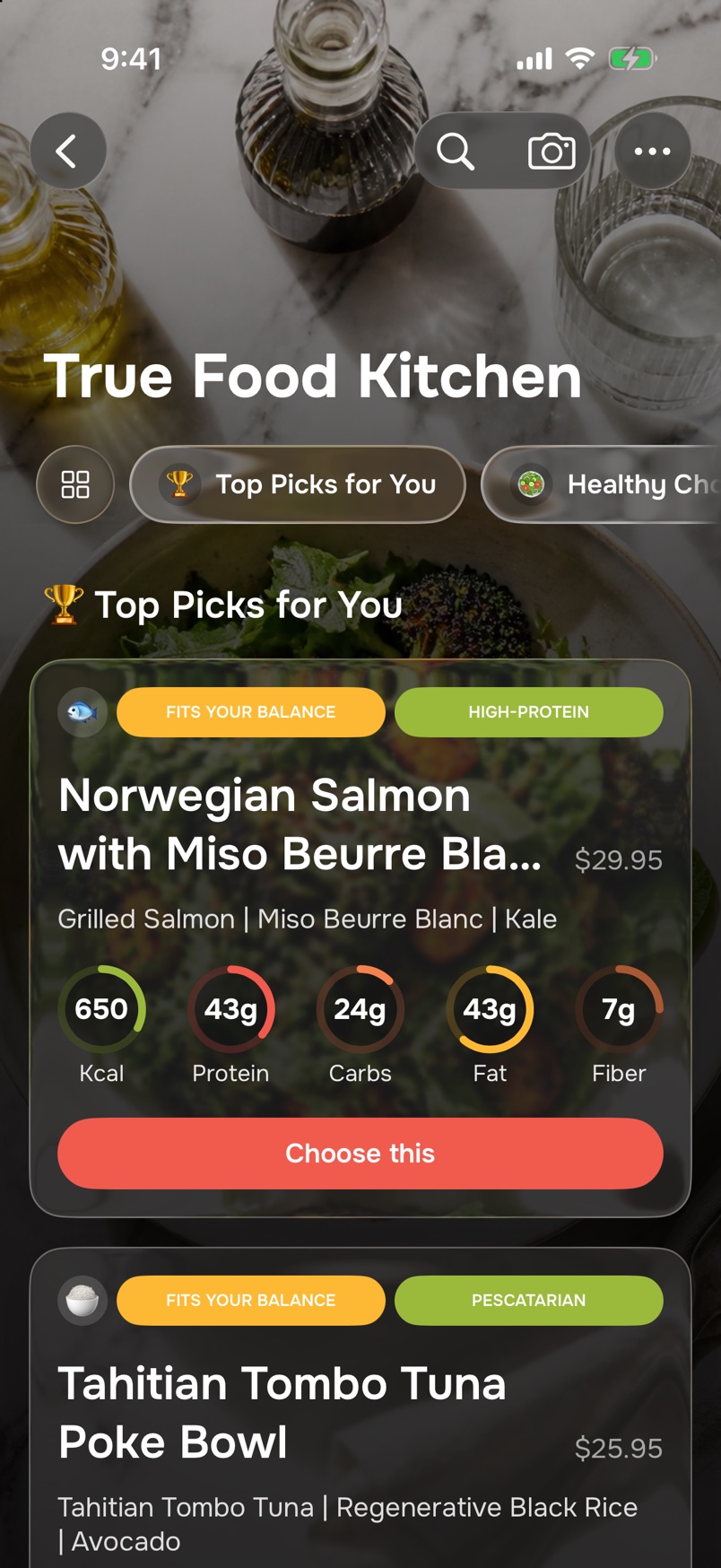
The same dishes, top picks first. Anything that clashes with your allergies or diet is set aside, with the reason.
Scroll the menu on the phone.


Picked for you. Flagged for you.
Tell MenuRight your goal, your diet, your allergies and the foods you love. Top picks come first; what clashes is set aside with the reason, so you know what to ask the waiter.
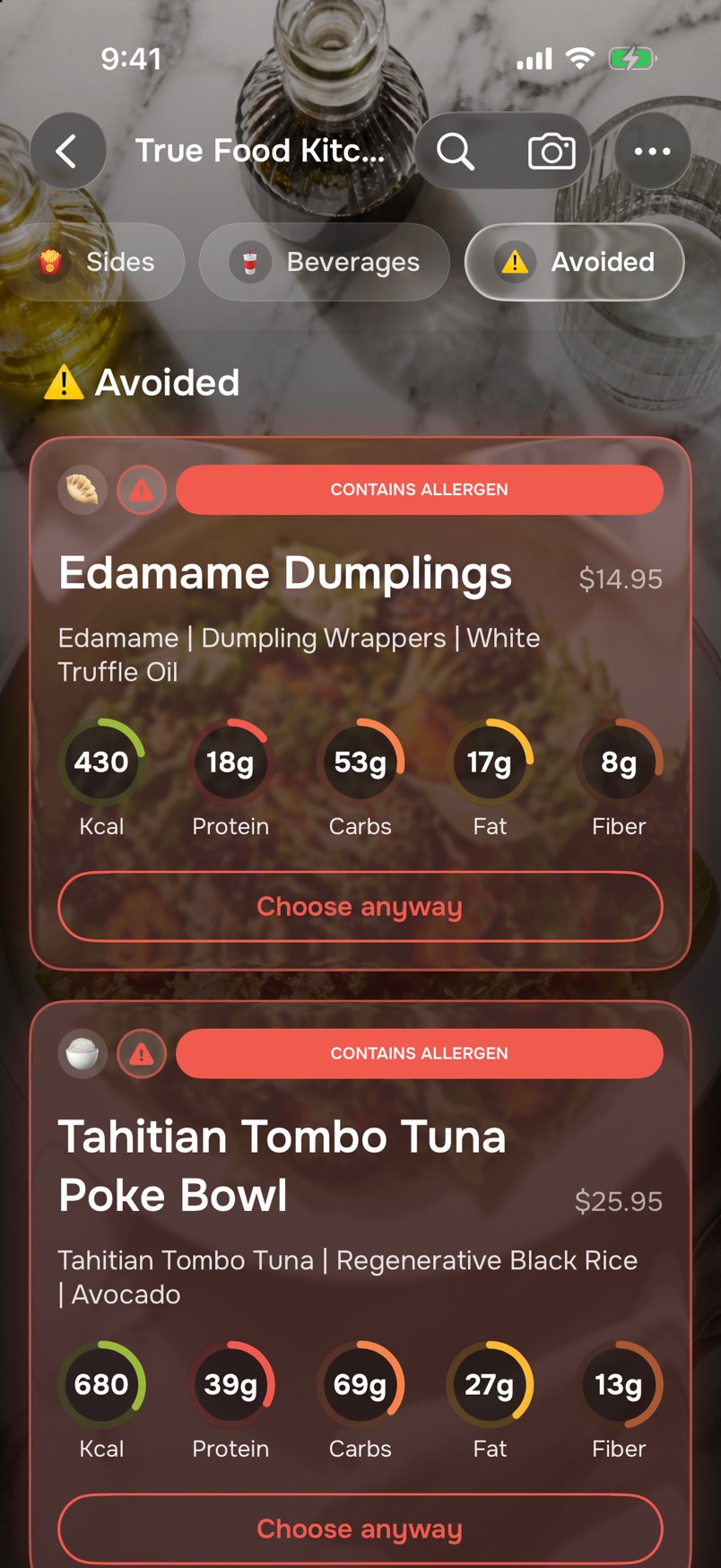
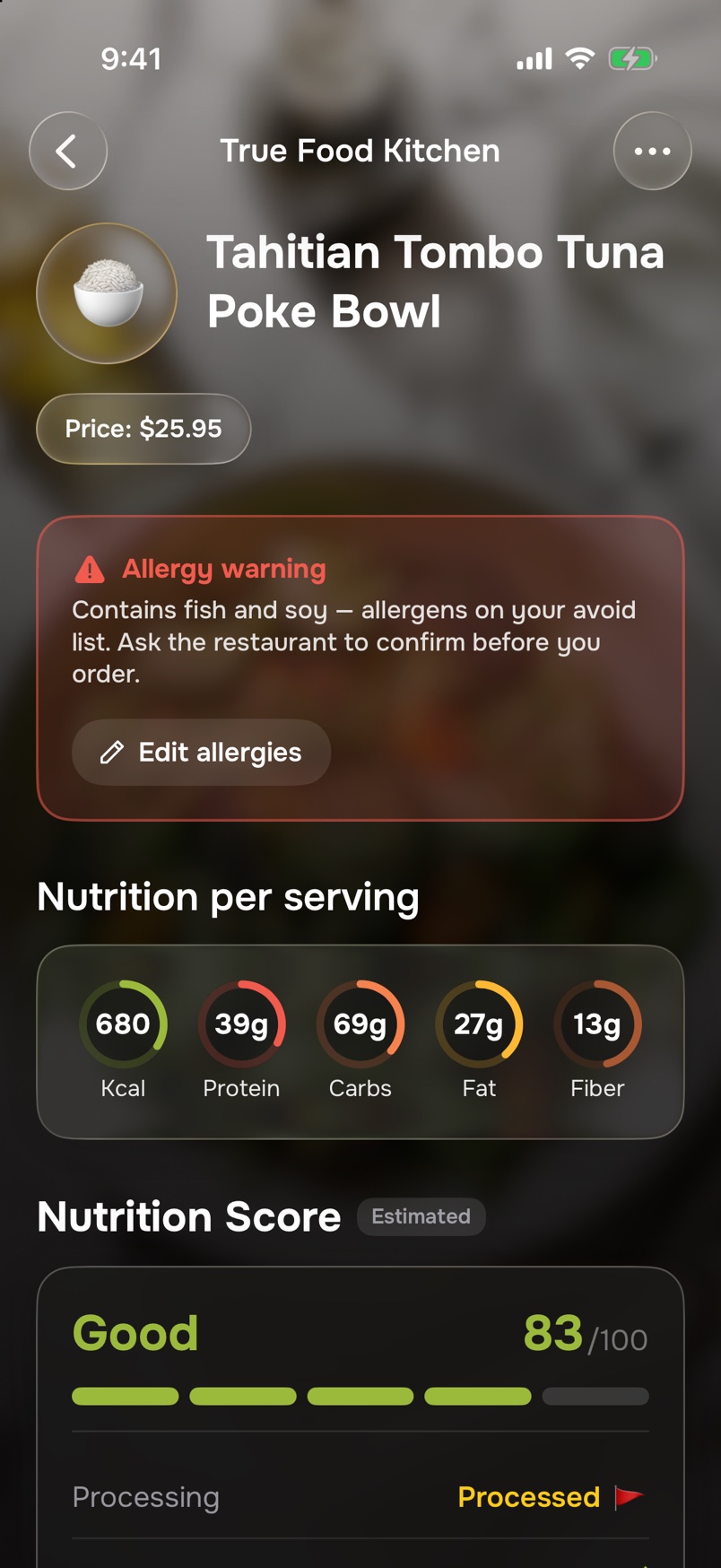
Open any dish to see why it was picked, and what it is likely to contain.
After the meal
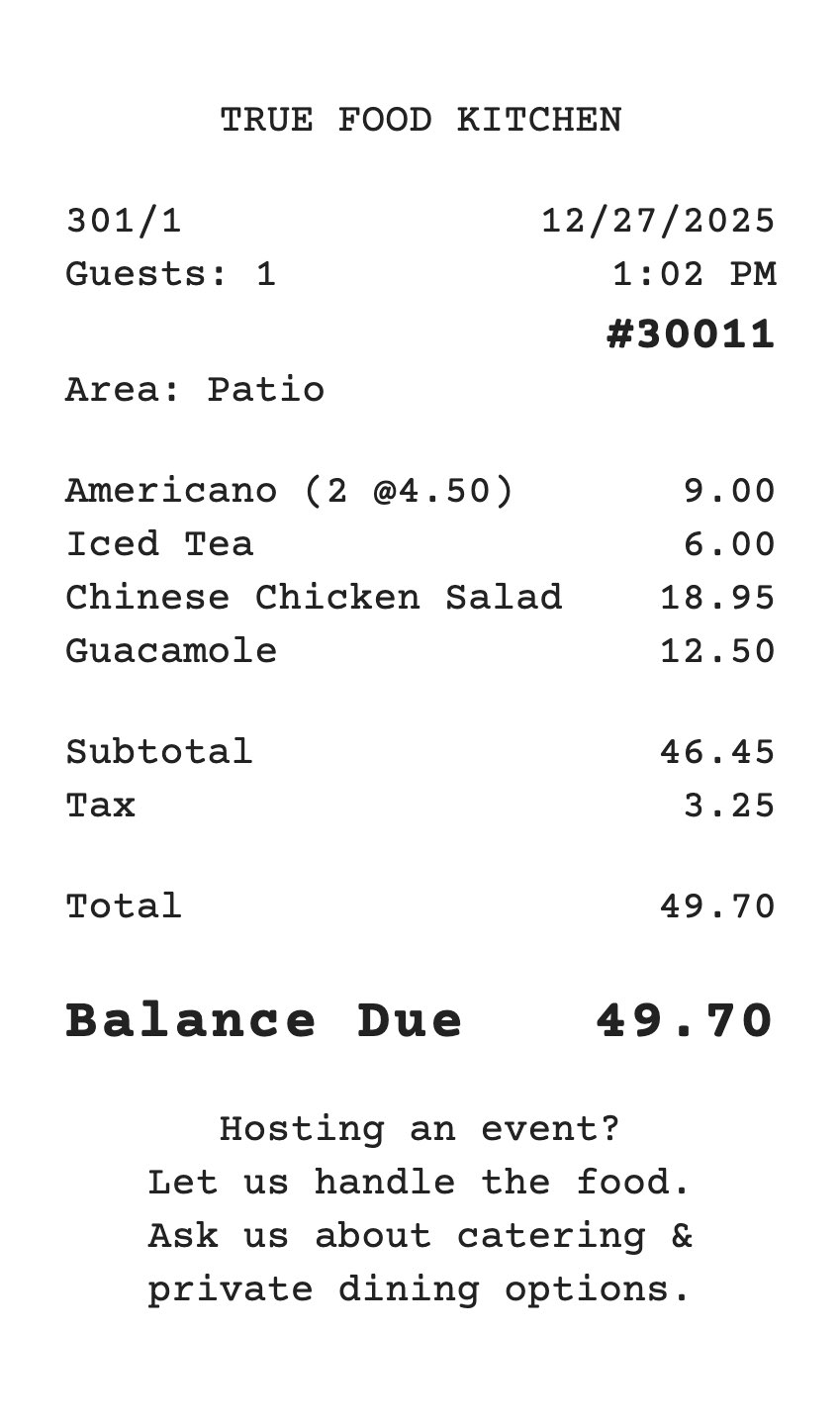
Already ordered? Scan the receipt.
Photograph the bill and tap what was yours. Only that is added to your day.
Everywhere else
Just snap your plate.
MenuRight lists what is on it, with portions. You have the final say on every ingredient before it counts.
- Snap food. A photo of the plate.
- Type or dictate. Say what you ate.
- Scan a label. The printed values from the pack.
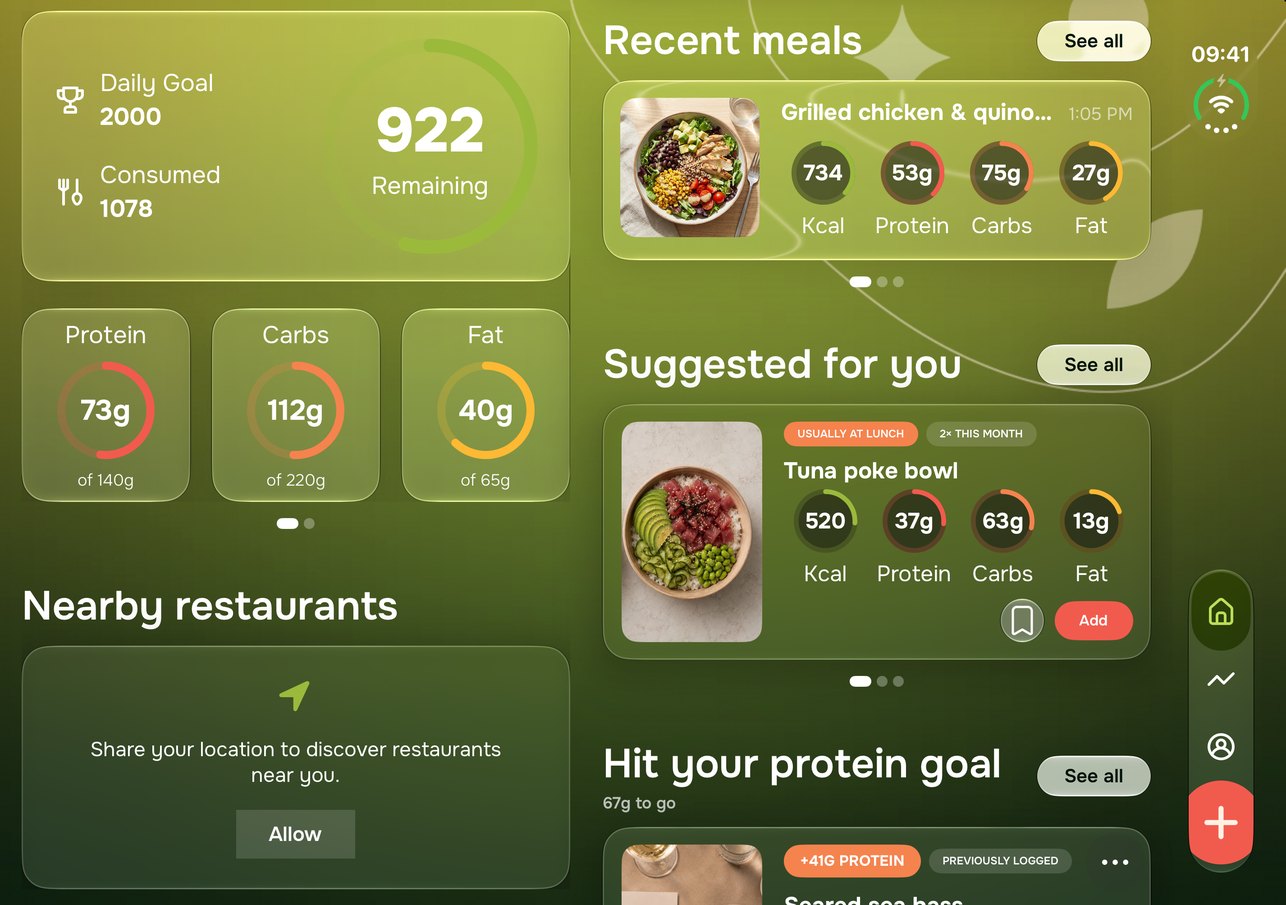
One look. The whole day.
Calories remaining, with protein, carbs and fat against your targets. Swipe for fiber, sugar and sodium. Go back to any day and fix it.
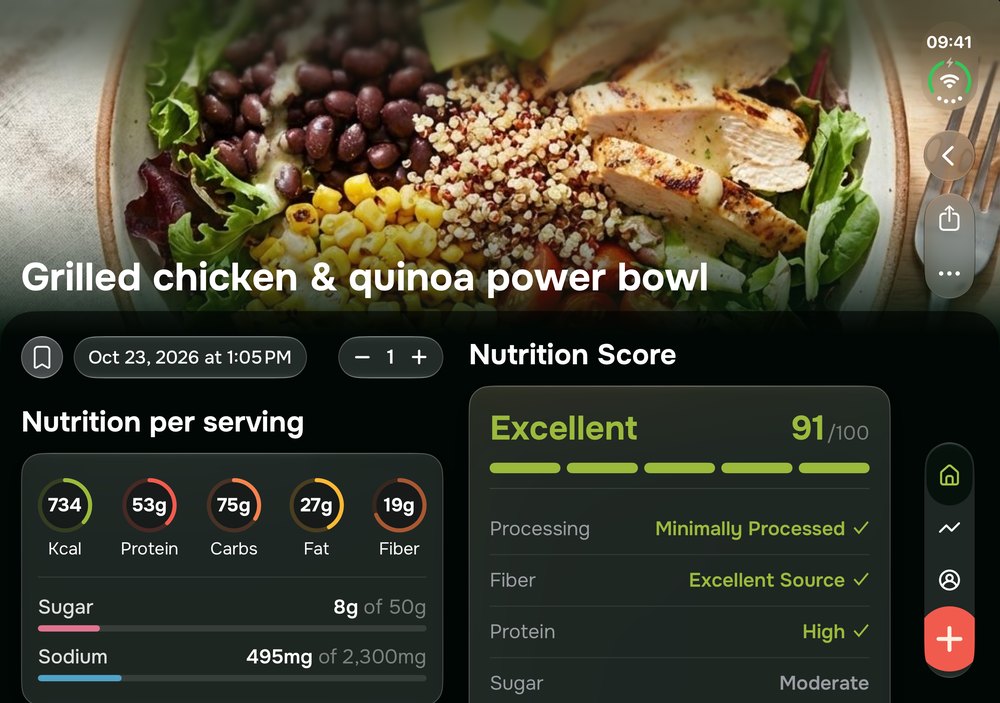
Nutrition Score
Every meal gets an estimated score from 0 to 100, so the better choice stands out.
Widgets
Today’s numbers on the Home Screen and the Lock Screen.
Over the weeks
Your goal, with a date on it.
From the food you log, MenuRight forecasts when you will reach your goal weight. It is an estimate, and it moves as you do.
- Forecast. Your goal date, at your current intake.
- Day streak. How many days in a row you have logged.
- Weight chart. Every weigh-in, with its trend.
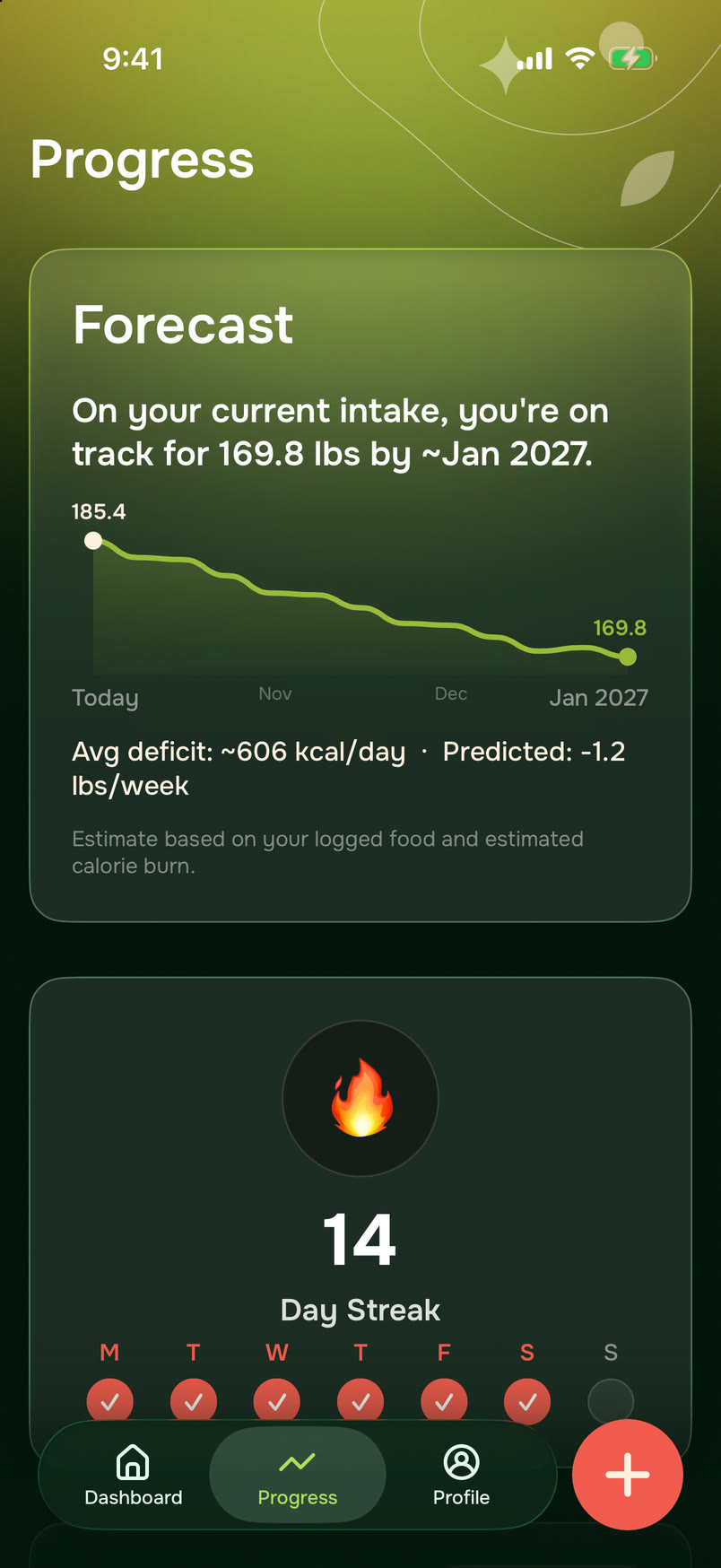
A sample account. Your forecast comes from the food you log.
Apple Watch
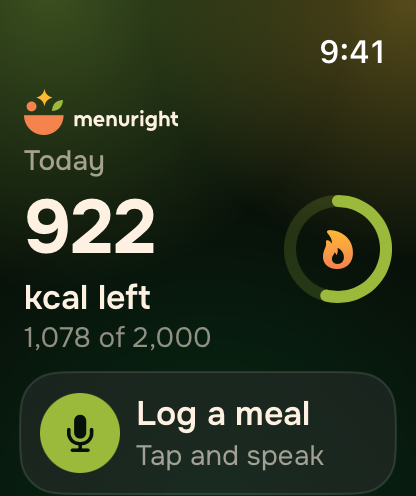
On your wrist.
See what is left today at a glance. Tap Log a meal, say what you ate, and it is added to your day.
Logging from Apple Watch works through your iPhone.
Estimates, said plainly.
What MenuRight estimates
- Calories and macros, for your plate and for each dish on a menu you photograph.
- The allergens a dish is likely to contain.
What it cannot do
- Guarantee a dish is free of an allergen. Always confirm with the restaurant.
What you eat stays out of our analytics.
- Usage data says which features you use. Never what you eat, photograph or type.
- One switch in Profile turns usage sharing off.
- No ad tracking.
Questions
Do I have to stop eating out?
No. MenuRight is built for eating out: it shows which dishes fit your goal, so dinner with friends does not mean starting over on Monday.
How does MenuRight read a menu?
You photograph it, up to three pages at a time. The photo is sent to our servers, where AI reads the dishes and estimates their nutrition. You can leave the app while it works and you get a notification when the menu is ready.
Does it work at my local restaurant?
It reads the menu in front of you, so it is not limited to big chains. Photograph the page and it ranks the dishes it can read.
How is the ranking decided?
By your goal, your diet, your allergies and the foods you love or avoid. Each pick shows the reason it was chosen.
How close are the numbers?
They are estimates, and an estimate can be off. A few things help a lot:
- Good light. Daylight or a bright room works best.
- The whole plate, in focus. Let it fill the frame.
- A quick check. You can correct every ingredient and amount before anything counts.
If a meal still comes out wrong, send a screenshot to support@menuright.app and we will look into it. It is not a lab measurement and not medical advice.
Can I rely on it for allergies?
Not on its own. MenuRight flags the dishes that are likely to contain an allergen, so you know what to ask. A menu can leave an ingredient out, and a kitchen can change a recipe. Always confirm with the restaurant before you order.
What happens to my photos?
They are sent to our servers only to be analysed. Photos of meals, labels and receipts are not stored: they are discarded once the analysis is done. Menu photos are deleted after 7 days, the time to read a page again if something went wrong. Your food diary stays on your iPhone. The Privacy Policy has the details, including how long our AI providers keep what they receive.
When can I get it?
Soon. MenuRight is coming to the App Store, for iPhone with iOS 26 and for Apple Watch.
